

02Account & billing
Request purchase on invoice – for business customers at Nexthosting
How business customers request purchase on invoice (Kauf auf Rechnung) at Nexthosting, how approval by ticket works and what applies afterwards.
In short
Purchase on invoice (Kauf auf Rechnung) is available for business customers and only after approval for your customer account. You request it in your account under Zahlungsarten (Payment methods) with the button Kauf auf Rechnung beantragen (Request purchase on invoice). This creates a ticket in which we confirm or decline. Once it is enabled, you choose the payment method Kauf auf Rechnung when ordering.
Who can request purchase on invoice?
Section titled “Who can request purchase on invoice?”The request is meant for accounts where you switched on Geschäftskunde (Business customer) at registration or entered a company in your profile. A private account gets a message that purchase on invoice is only available for business customers. In that case enter your company in your profile, see Register and log in.
Why not for everyone? An order on invoice is provisioned immediately, and you only pay afterwards. That is why we check it once per account beforehand.
How to request it
Section titled “How to request it”- Submit requestAccount, Zahlungsarten, request purchase on invoice
- Ticket is createdWe reply in the ticket
- Approved?
- yes
- EnabledSelectable when ordering
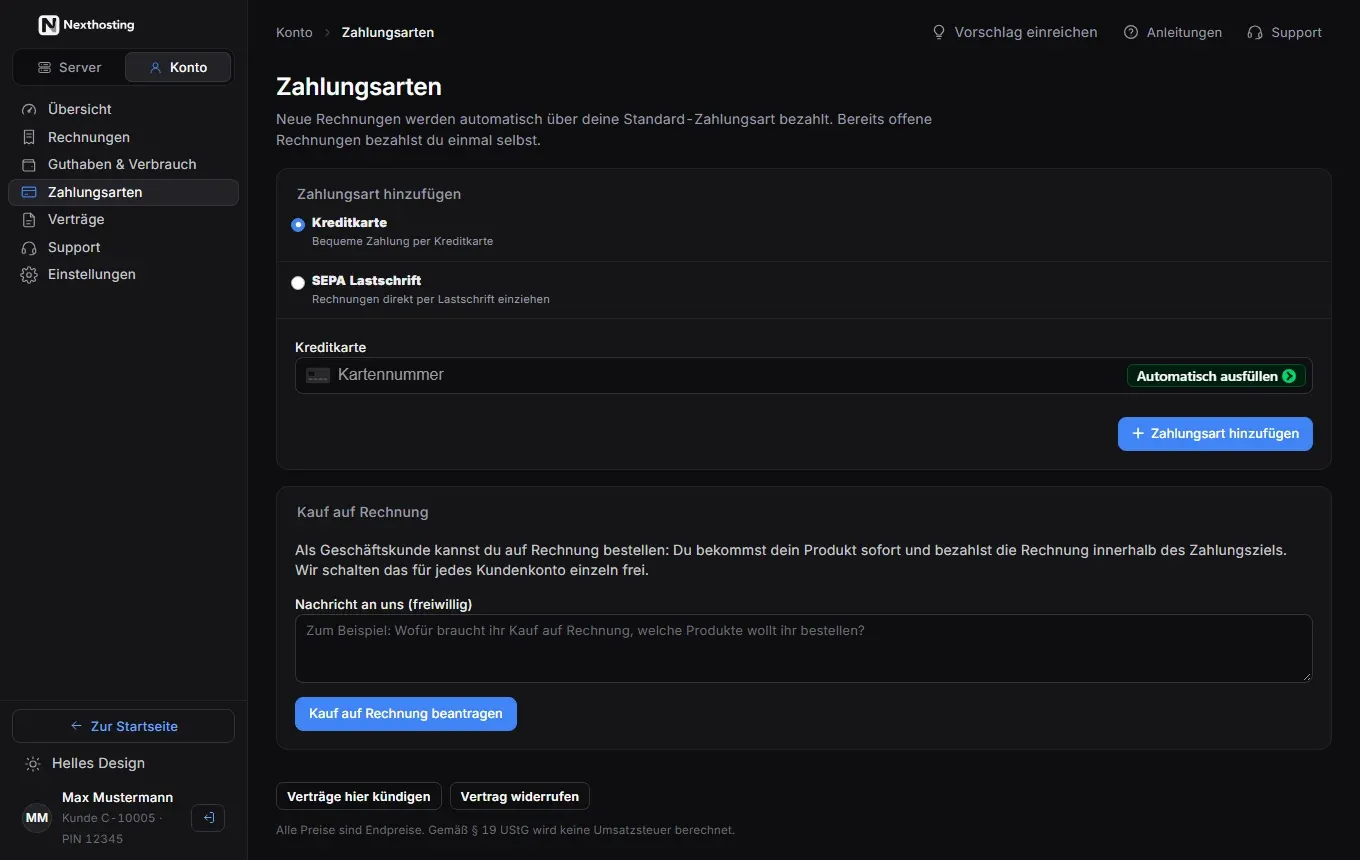
The Zahlungsarten page in the Account area. The “Kauf auf Rechnung” card sits below the form for credit card and SEPA direct debit.
- Optional message to us
- Request purchase on invoice
- In the Konto (Account) area, open Zahlungsarten (Customer account overview). There you find the card Kauf auf Rechnung.
- Optionally write a message, for example what you need purchase on invoice for and which products you want to order.
- Click Kauf auf Rechnung beantragen. You see “Dein Antrag ist angelegt. Wir melden uns hier im Ticket.” (Your request has been created. We will get back to you in the ticket.)
- Wait for our reply in the ticket. Until then you can order with all other payment methods. In the meantime the card says “Dein Antrag liegt uns vor” (We have your request) with the button Zum Antrag (To the request).
In the cart, a notice (“Kauf auf Rechnung?”) also points business customers to this route. You cannot submit the request twice: if it already exists, the button leads to the existing ticket.
What happens after the decision?
Section titled “What happens after the decision?”- Approval: We confirm the approval in the ticket. The card then says “Kauf auf Rechnung ist für dein Kundenkonto freigeschaltet” (Purchase on invoice is enabled for your customer account). From now on you choose Kauf auf Rechnung as the payment method when ordering. The payment term is shown on each invoice.
- Decline: We write to you in the ticket that we cannot enable it for your account at the moment. You order with the other payment methods as usual.
The approval applies to your account, not to individual orders.
What applies to an order on invoice?
Section titled “What applies to an order on invoice?”Your product is set up immediately, and you pay the invoice within the payment term shown on it. For VPS and dedicated servers the confirmation window applies beforehand; here it comes before payment, see Confirm your order.
If you do not pay an invoice on time, accounts with approved purchase on invoice follow a different process than normal business customers. The process is described under Late payment and suspension.
Some bookings after the order are not paid on invoice but with balance or a payment method that confirms immediately, for example a boost or “Extend server”. See Paying.
Frequently asked questions
Section titled “Frequently asked questions”I am a company but I do not see the card.
Section titled “I am a company but I do not see the card.”The card only appears if your account is registered as a business customer. Check in Einstellungen (Settings) whether your company is entered, or write a ticket.
How long does approval take?
Section titled “How long does approval take?”We reply in the ticket. We do not promise a fixed time. If you need the server urgently, order with PayPal, credit card or another payment method.
Why is purchase on invoice not shown at checkout automatically?
Section titled “Why is purchase on invoice not shown at checkout automatically?”The payment method is hidden for all accounts until we have enabled it.