

10Help & support
Nexthosting support – ticket, email, hours and support PIN
How to reach Nexthosting support: ticket in the customer account, email, contact form and Discord, support hours, support PIN and the support packages.
In short
The fastest way to reach support is a ticket in your customer account, because your product is assigned automatically there. Support is available Monday to Friday, 9:00–18:00 (German time), and the first reply usually comes within 24 hours.
Which way is the right one?
Section titled “Which way is the right one?”The ways at a glance
Section titled “The ways at a glance”| Way | What for | Suited for |
|---|---|---|
| Ticket in the customer account (preferred) | Technical problems, invoices, contracts | Anything concerning an existing product |
| Problem melden (report a problem) in the game server panel | Problems with a game server | A ticket with an automatic diagnosis |
| Email to support@nexthosting.net | Questions when you cannot log in | First contact and matters without a product |
| Contact form at nexthosting.net/kontakt | Questions sorted by topic | Technical problem, invoice and contract, offer and consultation, IT for businesses |
| Discord | Chatting with the community | No promised response time, no contract questions |
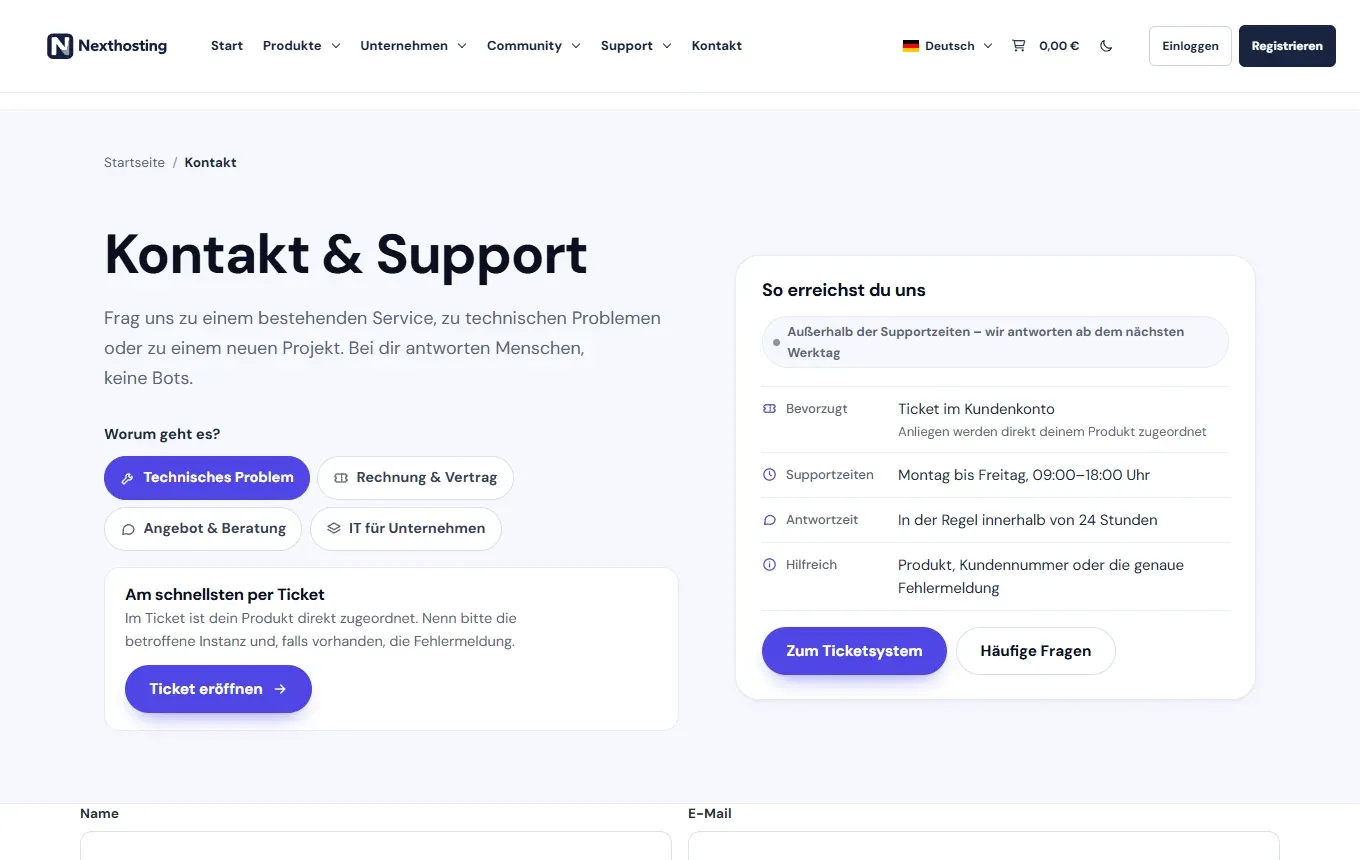
The contact page in the shop.
- Topics: Technisches Problem (technical problem), Rechnung und Vertrag (invoice and contract), Angebot und Beratung (offer and consultation), IT für Unternehmen (IT for businesses)
- Ticket eröffnen (open ticket)
- Support hours, response time and notes on what helps support
Ticket in the customer account
Section titled “Ticket in the customer account”A ticket is the best way because it
- is assigned directly to your product, so you do not have to explain which server you mean,
- stays saved in the customer account and you can see the history at any time,
- already makes your identity clear.
How to proceed:
- Log in to the customer account.
- On the Übersicht (overview) page, click Ticket eröffnen (open ticket) and select the affected product. You find your previous tickets in the Support menu under Supportanfragen (support requests).
- Describe your issue the way Describe a problem well shows.
Support hours and response time
Section titled “Support hours and response time”- Support hours: Monday to Friday, 9:00–18:00 (German time).
- Response time: The first reply usually comes within 24 hours. That is a target, not a guarantee.
- Outside support hours: You can write at any time. Replies then come from the next working day.
- Languages: German and English.
Support PIN
Section titled “Support PIN”Your support PIN is shown on the start page of your customer account (Übersicht, overview) in the box Support. You use it to identify yourself as the account holder, above all where support cannot automatically see who you are, for example by email or on Discord. Only give it to the Nexthosting team and never post it publicly. If you shared it by accident, click Neu generieren (generate new) in the same box. The old PIN then stops working. The PIN does not replace a password, so never send your password along. More: Secure your account.
Priority support and express support
Section titled “Priority support and express support”If you want faster handling, you can book extras when ordering or later (as of October 2026):
| Extra | Price |
|---|---|
| Priorisierter Support (priority support) | €4.99/month |
| Express-Support (express support) | €8.99/month |
Your tickets are then handled in preferred order. A guaranteed response time is not attached to this. For VPS Pro and VPS Ultra, premium support is already included, see VPS overview.
Report a problem from the game server panel
Section titled “Report a problem from the game server panel”If your game server is having problems, use Problem melden (report a problem) in the panel. It creates a ticket in your name and automatically attaches a diagnosis: plan limits, server state, startup command, monitoring history and the last lines of the console, which you can deselect. Access credentials are masked. This saves you many follow-up questions. More: Report a problem.
Discord
Section titled “Discord”On the Nexthosting Discord server you can talk to other customers and exchange tips. The link is in the shop under Support. There is no promised response time there. For questions about your contract, your invoice or an outage, please use a ticket.
Frequently asked questions
Section titled “Frequently asked questions”How quickly do I get an answer?
Section titled “How quickly do I get an answer?”Usually within 24 hours on working days. With the support packages, tickets are handled with priority.
I am not logged in and cannot get into my account. Now what?
Section titled “I am not logged in and cannot get into my account. Now what?”Write to support@nexthosting.net or use the contact form. Try the Vergessen? (forgot?) function on the login page first. Help with logging in: Register and log in.
Can I call?
Section titled “Can I call?”The contact page lists a phone number for sales and projects. For technical problems, use a ticket or write an email, so that all details are on record.
Where can I see whether there is an outage?
Section titled “Where can I see whether there is an outage?”On the status page.