

03Game server panel
Game server backups and databases – create and restore
Back up your Nexthosting game server with one click or on a schedule, restore a backup, and create MySQL databases for plugins and addons.
In short
Under Backups you back up your whole server with one click and later restore it the same way. Under Datenbanken (databases) you create MySQL databases, for example for DarkRP, LuckPerms or shop plugins. How many backups and databases you can create depends on your plan.
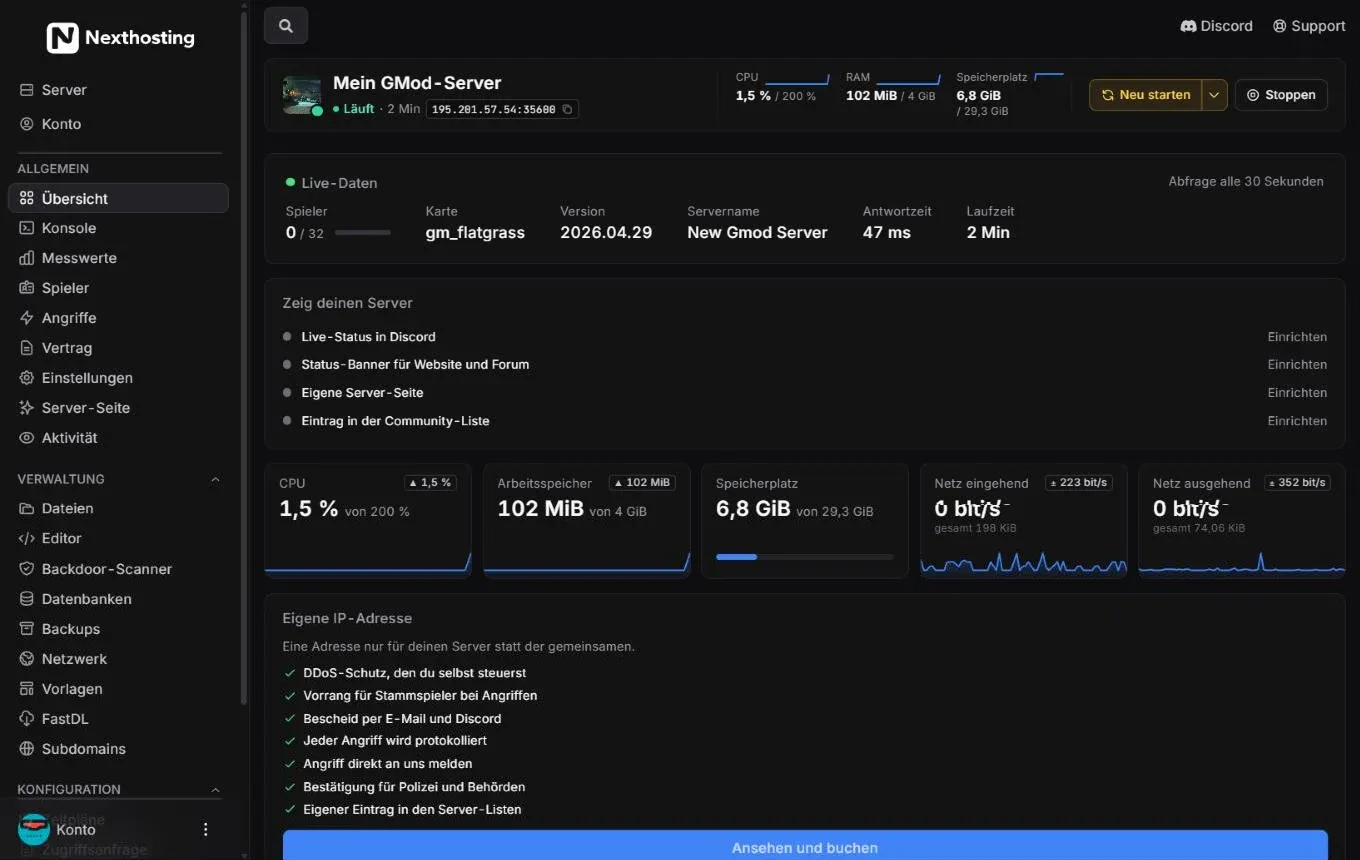
You find databases and backups in the sidebar under Verwaltung (management).
- Datenbanken (databases)
- Backups
How many backups do I have?
Section titled “How many backups do I have?”Every plan has a fixed number of backup slots. An example from the shop (Minecraft, as of October 2026):
| Plan | Backup slots | Databases |
|---|---|---|
| Basic | 2 | 1 |
| Advanced | 5 | 3 |
| Premium | 5 | 5 |
| Community | 10 | 10 |
For other games the numbers differ – they are on the respective game page in the shop. If your plan includes no backups or databases, the panel shows “Für diesen Server sind keine Backups vorgesehen.” (no backups are provided for this server) or “… keine Datenbanken vorgesehen.” (no databases provided).
Create a backup
Section titled “Create a backup”- Open Backups in the sidebar.
- Click the button for creating a backup.
- Give the backup a name you will recognise later, for example “before DarkRP update”.
- Start the backup. A progress bar shows how far packing and uploading have got – on the backup page and as a thin line under the control buttons.
- When it is done, the backup appears in the list with Name, Größe (size), Prüfsumme (checksum) and Erstellt am (created on).
Your server can keep running during the backup. For a clean backup of game worlds, though, it is better to stop the server briefly or save in the game beforehand (for example save-all in Minecraft).
Restore a backup
Section titled “Restore a backup”- Select the backup
- Confirm the restoreThe server is stopped
- Files are written backa few minutes depending on size
- Start the server
- Open Backups and click the menu next to the backup you want.
- Choose Wiederherstellen (restore) and confirm.
- Wait until the restore has finished. During this time the server cannot be started.
- Start the server and check that everything is there.
Download a backup
Section titled “Download a backup”Via a backup’s menu you can also download it. You get an archive with all the files of your server. Keep important versions on your own computer as well – in case you want to move later or the contract ends.
Backup question before big changes
Section titled “Backup question before big changes”Under Einstellungen (settings) there is the switch Vor großen Änderungen nach einem Backup fragen (ask about a backup before big changes). When it is on, the panel asks you before a template, a modpack or another server version is set up. It never asks when you simply upload files. See Templates, mods and modpacks.
Databases
Section titled “Databases”Many addons and plugins store their data in a MySQL database: permissions, money, shops, statistics. In the panel you create such a database in a few clicks, and the panel generates the login details automatically.
- Open Datenbanken in the sidebar.
- Create a new database and give it a name, for example
darkrp. - The database appears in the list with Name, Benutzername (username) and Adresse (address).
- Open the details to see the password.
- Enter address, port, database name, user and password in the settings file of your addon or plugin.
- Restart the server.
An example of how such details look in a configuration file (the field names depend on the plugin):
host=address from the panel (without port)port=3306database=database name from the panelusername=username from the panelpassword=password from the panelWith programs like HeidiSQL or MySQL Workbench you can also view the database from your own computer, provided access from outside is allowed.
Frequently asked questions
Section titled “Frequently asked questions”Are databases included in my backups?
Section titled “Are databases included in my backups?”Better not to count on it. A backup saves the files of your server. Back up important databases separately with an export, for example via HeidiSQL.
The backup fails. Why?
Section titled “The backup fails. Why?”Often all backup slots are in use – delete an old backup. Very large servers also take longer. If neither helps, report a problem.
Does Nexthosting also make backups for me?
Section titled “Does Nexthosting also make backups for me?”You are responsible for your game data yourself. Use your plan’s backup slots and download important versions. In short – the terms and conditions are what is binding.