

02Account & billing
Register and log in to your Nexthosting account
How to create your Nexthosting customer account, log in with email, passkey, Discord, Google, Twitch or Steam, and reset a forgotten password.
In short
You create your customer account at nexthosting.net/account/register – with an email address and password, or with one click via Discord, Google or Twitch. You log in at nexthosting.net/account/login with email and password, with a passkey, or via Discord, Google, Twitch and Steam.
The customer account is your gateway to everything at Nexthosting: orders, invoices, contracts, credit and support tickets. You also open the game server panel from within the account. Without an account you cannot order anything.
Note: the shop is available in German and English, but the screenshots and labels on this page are the German ones. The English meaning is given in parentheses the first time a label appears.
Create an account
Section titled “Create an account”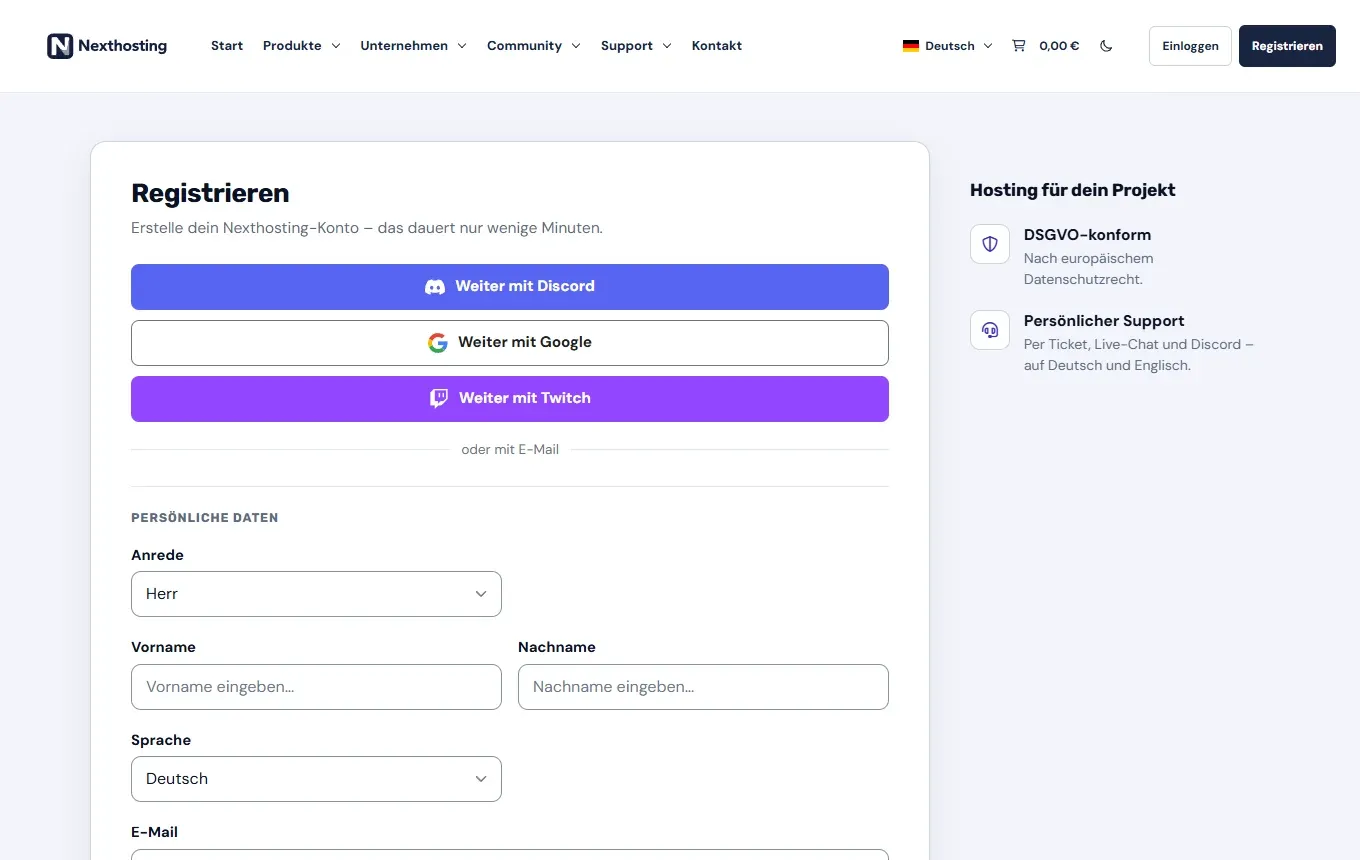
The registration page: at the top, one click via an existing service; below it, the classic way with email.
- Register via Discord, Google or Twitch
- Register with an email address and your own password
-
Open nexthosting.net/account/register or click Registrieren (“register”) at the top right of the shop.
-
Choose one of two ways:
- With one click: Weiter mit Discord (“continue with Discord”), Weiter mit Google or Weiter mit Twitch. You log in to that service and agree to the data being passed on. Your name and email address are then filled into the form as a suggestion.
- With email: You fill in the form under “oder mit E-Mail” (“or with email”) yourself.
-
Enter your personal details (persönliche Daten): title, first name, last name, language (Deutsch or English) and email address. Depending on your selection, the form also asks for your address (street, number, postcode, city, country).
-
If you are ordering for your company or for your self-employed professional activity, switch on Geschäftskunde? (“business customer?”). The fields for company name and VAT ID (USt-ID Nr.) then appear, and the company address is needed for your invoices.
-
Choose a password (Passwort; at least 6 characters – better to use many more) and confirm it.
-
Under Einwilligungen (consents), decide whether you want the Nexthosting newsletter (optional, can be cancelled at any time), and tick the box for the privacy policy.
-
Click Konto erstellen (“create account”). If you register with email, you receive a confirmation email. With Discord, Google or Twitch it is skipped if the service has already confirmed your email address and you do not change it in the form.
Steam is only available for logging in and for linking to an existing account, not for registering. Steam does not pass on an email address.
Log in
Section titled “Log in”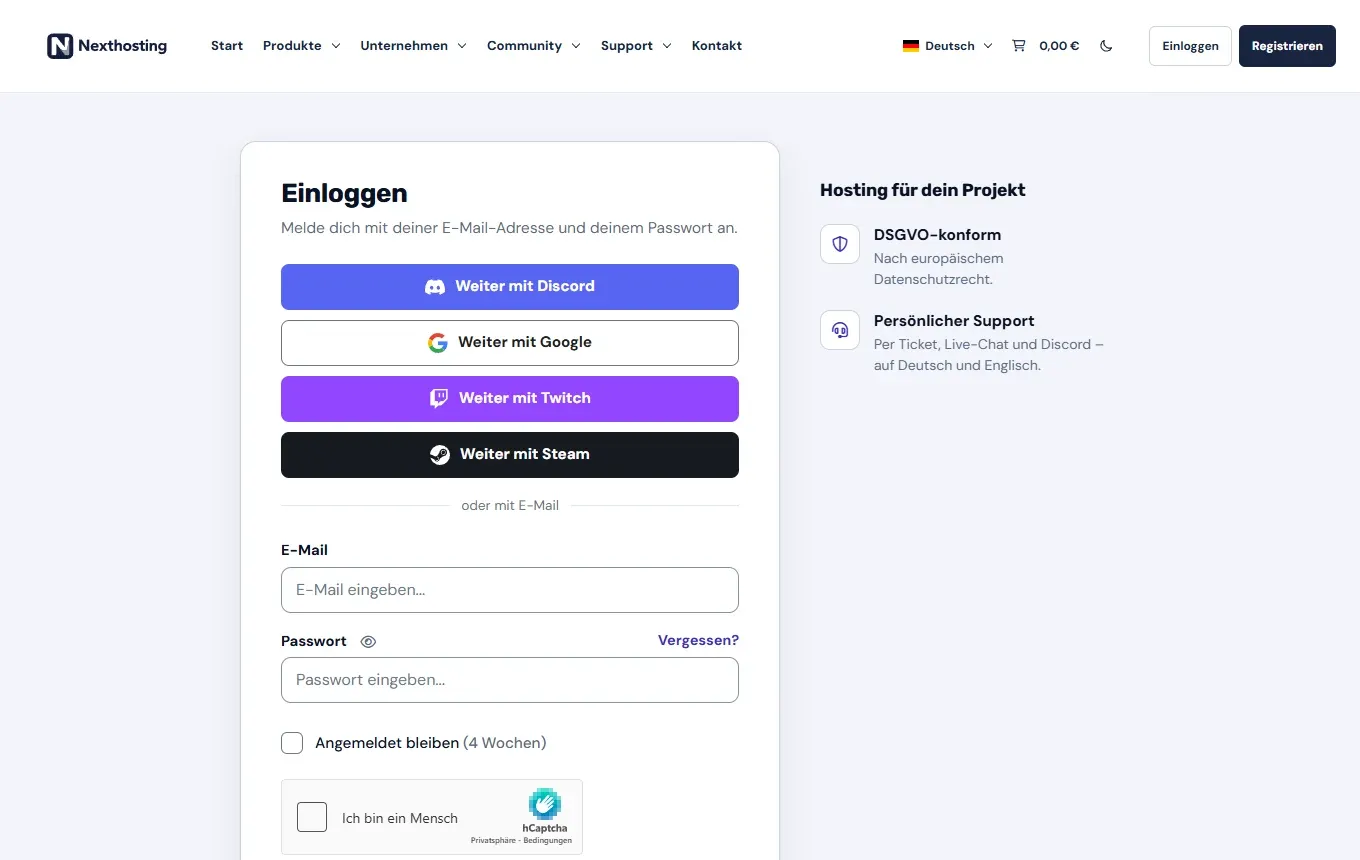
The login page. Below it (not in the picture) come the login button and “Mit Passkey einloggen” (“log in with passkey”).
- Log in via Discord, Google, Twitch or Steam
- “Vergessen?” (“forgotten?”) – reset your password
- “Angemeldet bleiben (4 Wochen)” (“stay logged in (4 weeks)”) – only use this on your own devices
-
Open nexthosting.net/account/login or click Einloggen (“log in”) in the shop (in the Support menu the link is called “Zum Kundenbereich”, “to the customer area”).
-
Log in in one of these ways:
- with email and password,
- with Mit Passkey einloggen, if you have set up a passkey,
- with a linked service: Weiter mit Discord, Weiter mit Google, Weiter mit Twitch or Weiter mit Steam.
-
If asked, confirm the security check “Ich bin ein Mensch” (“I am human”).
-
If you want to stay logged in on this device, tick Angemeldet bleiben (4 Wochen). On other people’s or shared computers, leave it unticked.
After logging in you land on the Übersicht (overview) of your account. What you find there is explained in Customer account overview.
Forgotten password
Section titled “Forgotten password”- On the login page, click Vergessen? next to the password field.
- Enter the email address of your customer account and request the link.
- Open the email and set a new password via the link.
If no email arrives, check your spam folder. If you registered only via Discord, Google or Twitch, you can keep logging in through that service – even without a password.
Link Discord, Google, Twitch or Steam
Section titled “Link Discord, Google, Twitch or Steam”You can connect more login services to your existing account and disconnect them again later. You do this in the customer account, in your profile, under “Anmelden mit” (“log in with”). Disconnected links are deleted.
For as long as Nexthosting offers it, you get a small one-time credit bonus for each linked service. The amount is shown in the customer account. The bonus is only credited once at least one invoice has been paid. There is no bonus for the service you registered with, and the bonus cannot be paid out (AGB § 7). More in Credit and automatic renewal.
Frequently asked questions
Section titled “Frequently asked questions”Can I change the language of the customer account?
Section titled “Can I change the language of the customer account?”Yes. You choose Deutsch or English when you register. In the shop you can also switch between Deutsch and English at any time at the top right.
I registered as a private customer but I am a company. What now?
Section titled “I registered as a private customer but I am a company. What now?”Your details must be correct (AGB § 4). Send the support team a ticket with your company details so your account can be classified correctly.
Do I need a new account for every order?
Section titled “Do I need a new account for every order?”No. All products – game servers, webspace, VPS, domains – run through one customer account.
What do I do if I can no longer access my email address?
Section titled “What do I do if I can no longer access my email address?”Contact us through the contact form or at support@nexthosting.net and describe which account it is. Have your customer number ready if you know it.