

05VPS & dedicated servers
VPS at Nexthosting – plans, features and your responsibility
The Nexthosting VPS at a glance: plans with prices, root access, backups, customer account tabs and your tasks such as updates and security.
In short
A VPS is your own virtual Linux server with root access. At Nexthosting it starts at €6.49/month (as of October 2026), can be cancelled monthly and has unlimited traffic. In return, you are responsible for the system, updates and security yourself. Backups are included in the customer account.
What is a VPS?
Section titled “What is a VPS?”VPS stands for “virtual private server”. You get a part of a large server that behaves like a computer of its own: with fixed RAM, its own processor cores, its own storage space and its own IP address. You install on it whatever you like, for example a web server, a game, a database or your own programs.
A VPS is a good choice if you want to run software that does not exist as a ready-made product, and you know your way around Linux or want to learn it. If you only need a website, Webspace or WordPress Hosting is simpler. For games, game servers come ready prepared.
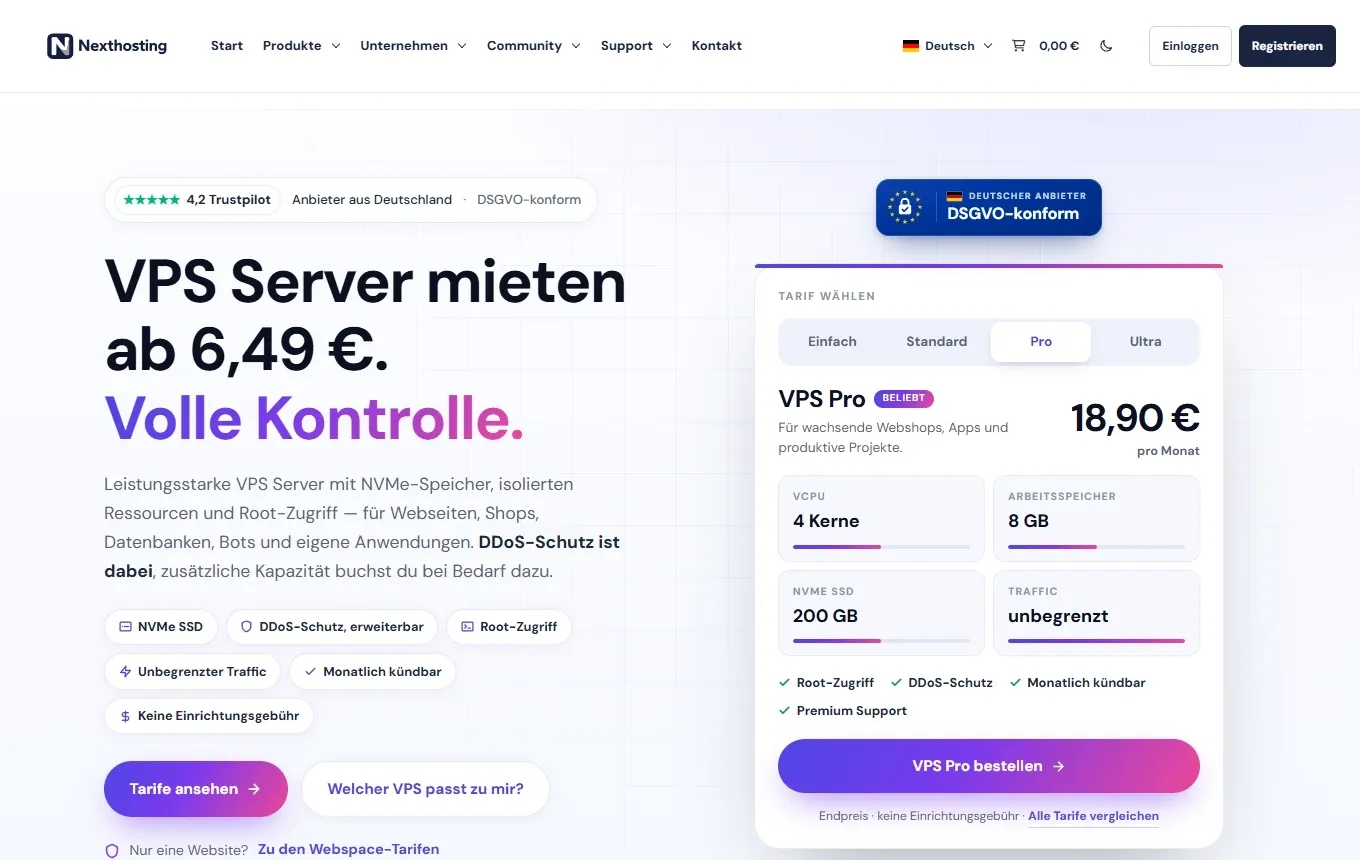
The VPS page in the shop with the plan selector.
The plans
Section titled “The plans”Prices are per month. You can always find current prices in the shop.
| Plan | Price (as of October 2026) | vCores | RAM | NVMe storage | Premium support |
|---|---|---|---|---|---|
| VPS Einfach (Basic) | €6.49 | 2 | 4 GB | 50 GB | – |
| VPS Standard | €10.90 | 2 | 8 GB | 100 GB | – |
| VPS Pro | €18.90 | 4 | 8 GB | 200 GB | included |
| VPS Ultra | €32.90 | 8 | 16 GB | 400 GB | included |
| VPS Custom | from €7.54 | freely selectable | freely selectable | freely selectable | see shop |
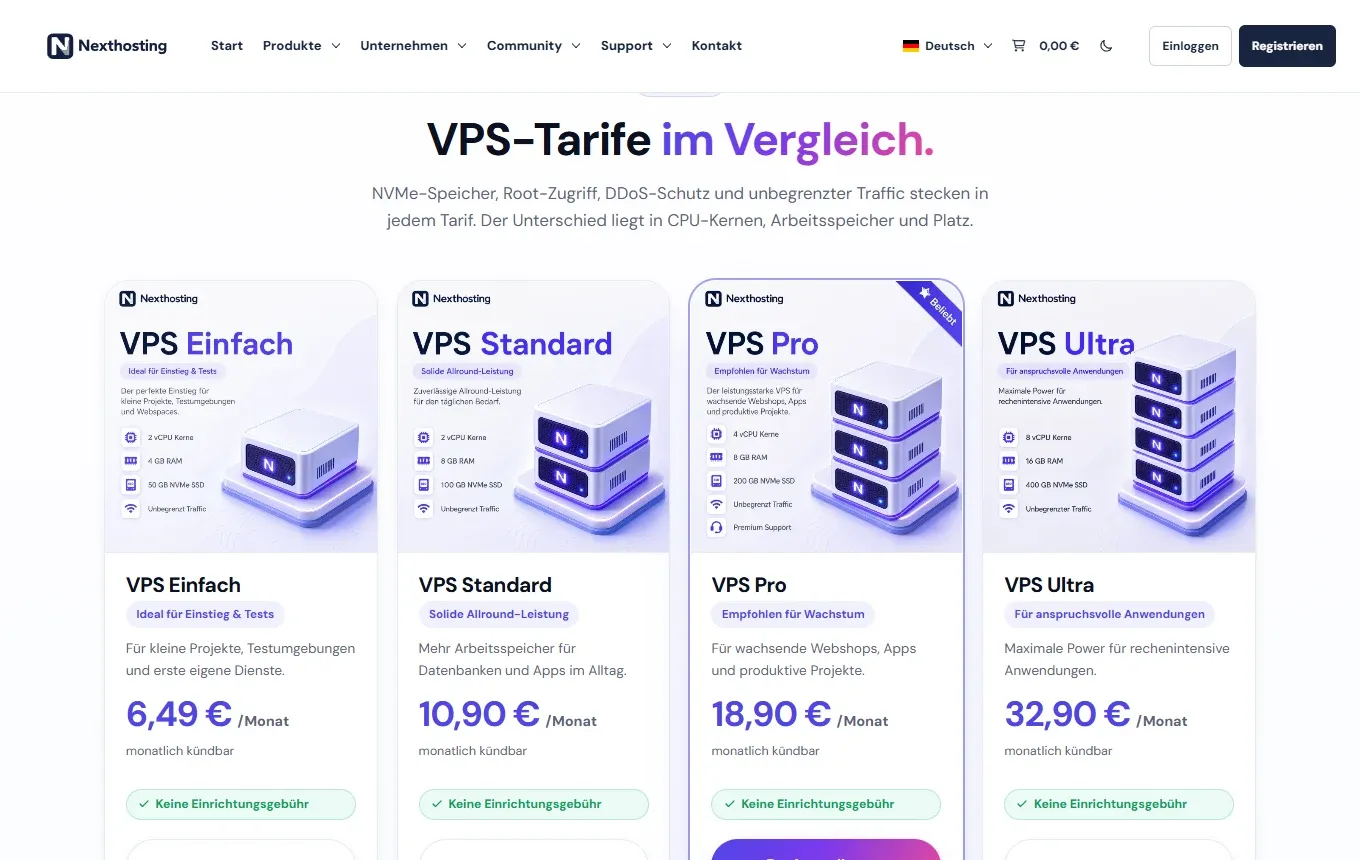
The plan comparison in the shop.
All plans include:
- cancellable monthly, no setup fee
- unlimited traffic
- root access
- DDoS protection included; additional capacity can be booked on request
- monitoring of resource usage in the dashboard
- backups included in the customer account, no extra package needed
- login via SSH (you add an SSH key yourself after the first login) and a firewall in the customer account
- data centre in Frankfurt am Main
What you get
Section titled “What you get”- Root access: full control over the system, via SSH or via the console.
- Ubuntu 22.04 to start with: new VPS are installed with Ubuntu 22.04. There is no choice when ordering. You install a different system later in the Neuinstallieren (reinstall) tab.
- Access details in the customer account: the IP address and root password are on your VPS’s product page in the Übersicht (overview) tab. Provisioning happens automatically after payment arrives and is confirmed, usually within a few minutes.
- Expandable: you can expand CPU, RAM and storage in the customer area.
- Location: the VPS runs in the data centre in Frankfurt am Main. Other Nexthosting locations (Falkenstein in Saxony, Nuremberg) relate to other services and parts of the infrastructure, such as backups and web hosting.
The VPS in the customer account
Section titled “The VPS in the customer account”You manage the VPS in your customer account: Dienste (services) → Deine Produkte (your products) → Ansehen (view) next to your VPS. The product page has these tabs:
| Tab | What it is for |
|---|---|
| Übersicht (overview) | Location, CPU cores, RAM, storage, operating system, IP addresses and the Root Passwort (hidden, with an eye icon to show it and a button to copy it). Here you start the VPS, restart it or shut it down. |
| Backups | Create, restore and delete backups. Included in the price, no extra package. |
| Neuinstallieren (reinstall) | Install the operating system again. Includes the ISO-Manager for inserting or ejecting an ISO file. |
| Softwareinstaller | Set up ready-made software on the VPS. |
| Geplante Aufgaben (scheduled tasks) | Repeat a backup, restart, shutdown or start automatically, from daily to every 3 months. |
| Netzwerk (network) | Network details, traffic, setting reverse DNS (rDNS) and the firewall with rules, for example “allow SSH”. |
| VNC | A console in the browser, even when SSH is not reachable. |
| Passwort ändern (change password) | Set a new root password. |
Start, restart, shut down and stop ask for confirmation first. “Stop” is like pulling the power plug, so use it only if a clean shutdown does not work.
- OrderChoose a plan
- Pay
- Access detailsin the customer account, Übersicht tab
- Log in via SSHssh root@IP-address
- Secure itUpdates, firewall, users
Your responsibility
Section titled “Your responsibility”A VPS is not a worry-free package. With Webspace and WordPress, Nexthosting takes care of the server software. With a VPS it is different:
| Task | Who? |
|---|---|
| Hardware, data center, network, basic DDoS protection | Nexthosting |
| Keeping the operating system up to date (updates) | You |
| Firewall, users, SSH hardening | You |
| Installed programs and their security | You |
| Setting up backups and testing a restore | You, with the Backups tab in the customer account |
On backups: the Backups tab in the customer account is included with the VPS, you do not have to book anything extra. Create backups there or schedule them under Geplante Aufgaben. Also keep important data safe somewhere else yourself.
If the invoice is not paid
Section titled “If the invoice is not paid”If payment is overdue, the VPS is locked, meaning the virtual machine is stopped. After payment it is released again. The exact deadlines are under Payment default and lock.
Which product fits?
Section titled “Which product fits?”Frequently asked questions
Section titled “Frequently asked questions”Can I cancel the VPS at any time?
Section titled “Can I cancel the VPS at any time?”Yes. All VPS plans can be cancelled monthly. The details are under Contracts and cancellation.
Which operating systems are available?
Section titled “Which operating systems are available?”New VPS run Ubuntu 22.04. You install other systems in the Neuinstallieren tab in the customer account. Several Ubuntu and Debian versions, CentOS and Windows Server (evaluation) are on offer; you see the current list in the customer account. The guides in this chapter apply to Debian and Ubuntu, and analogously to AlmaLinux and Rocky Linux.
Do I need Linux skills?
Section titled “Do I need Linux skills?”Yes, basic knowledge is required. The page First steps with SSH takes you through the most important commands.